PPPoker HUD: How to Get Opponent Stats on Club Tables
PPPoker AI Software keeps 255+ parameters per opponent, from VPIP and PFR to fold to c-bet, because PPPoker itself has no built-in HUD and no official hand-history export: PokerTracker and Hold'em Manager cannot read the app directly. Players get opponent stats in one of two ways, a hand converter that feeds a tracker, or an assistant with its own database, and this guide explains both, plus the numbers that matter.
PPPoker AI Software and HUD stats in short
There is no official PPPoker HUD. Trackers such as PokerTracker work only through a third-party hand converter that records hands from the app; PPPoker AI Software shows 255+ stats per opponent without a tracker. VPIP and PFR become useful after about 30 hands, river and showdown stats need several hundred, and both routes count as third-party software under the PPPoker terms.
Two ways to get a HUD on PPPoker
Hand converters and trackers
A hand converter, sometimes sold as a hand history catcher for the PPPoker app, records the hands shown on your screen and rewrites them in a format that PokerTracker (Poker Tracker 4) or Hold'em Manager can import. The tracker then builds its HUDs from those hands. DriveHUD markets a PPPoker HUD built the same way, through its own catcher. The setup takes some work, stats appear only after the tracker has imported the hands, and the database only knows the players you have already met on your own screen.
Assistants with a built-in database
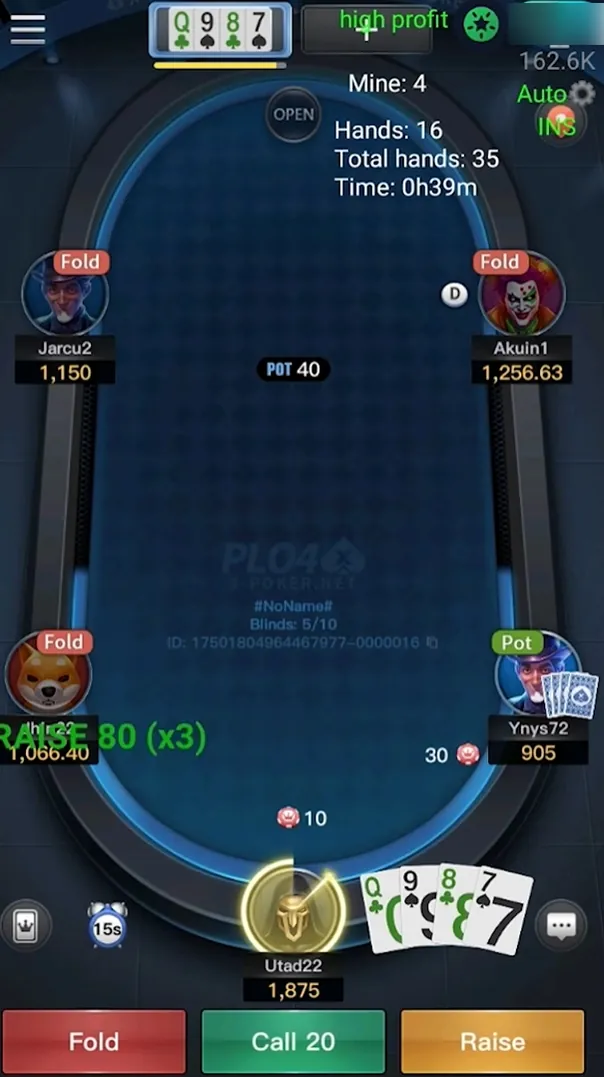
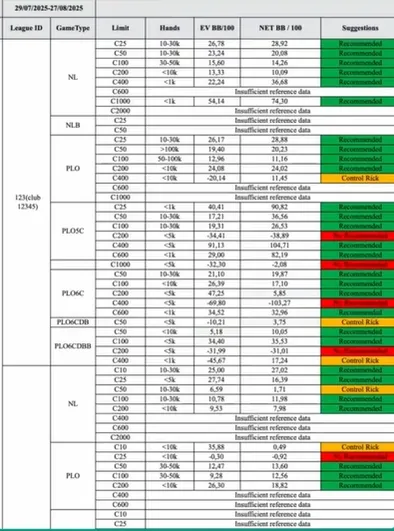
The assistant keeps its own profiles and shows the numbers on the table with no tracker in the chain. It tracks 255+ parameters per opponent, uses them in its own recommendations, and rates tables green, yellow or red from the stats of the seated players before you sit down. The screenshot shows the seat view the assistant reads: names, stacks, positions and the dealer button.
Is it possible to win without using a poker HUD? Yes, and self-study of your own hands is where most of the improvement comes from; a HUD speeds up reads and makes multi-tabling manageable, it does not replace thinking. Which poker rooms allow HUDs is the other common question: large sites publish rules, PPPoker does not, and its terms treat any real-time tool as assistance.
Both routes are third-party software under the PPPoker terms. The anti-cheat guide covers what that means for the account; the difference between the two is convenience and depth, not permission.
The stats that matter most on PPPoker
Whether the numbers come from a tracker or from the assistant, the same handful decides most low-stakes club decisions.
| Stat | What it measures | How to read it |
|---|---|---|
| VPIP | How often a player voluntarily puts money in pre-flop | Above 40% is a loose recreational player; 18–26% is typical for a regular |
| PFR | How often a player raises pre-flop | A wide gap below VPIP means a passive caller |
| 3-bet | How often a player re-raises pre-flop | Very low means a strong range when it happens |
| Fold to 3-bet | How often a raiser folds to a re-raise | High values invite light 3-bets |
| C-bet | How often the pre-flop raiser bets the flop | Very high means the range includes bluffs |
| Fold to c-bet | How often a player folds to a flop continuation bet | High values make small flop bets profitable |
| WTSD | How often a player reaches showdown after the flop | High values mean bluffs work less often |
Reading stats in combination
Single numbers mislead; pairs of numbers describe a player. A VPIP of 45% with a PFR of 8% is a caller who limps and calls raises with anything; against that profile the assistant's advice leans toward value bets and away from bluffs, because the player rarely folds. A VPIP inside the 18–26% band with a PFR close behind it is a regular who raises what he plays; here the exploit comes from other numbers, such as a fold to 3-bet high enough to make re-raising light profitable.
Post-flop the pair to watch is c-bet against fold to c-bet. A raiser who c-bets almost every flop can be raised or floated; a player who folds to c-bets most of the time can be bet small on any board. WTSD adds the last piece: a player who goes to showdown often should be value-bet thinner and bluffed less. The assistant runs these combinations on every street, which is what its exploit layer means in practice; a tracker HUD shows you the numbers and leaves the reading to you.
What information a poker HUD displays is up to you: trackers let you pick the stats on the panel, and the usual mistake is stacking too much on it. Three or four numbers per opponent, read in pairs as above, fix more leaks than a wall of percentages. Trackers also track your own results, which is how you study your opponents and yourself between sessions; the assistant's profiles do the first part and leave the second to your hand review.
Sample size: when the stats can be trusted
Stats without a sample are noise. VPIP and PFR settle quickly: after about 30 hands on a player they already separate a recreational player from a regular. Pre-flop 3-bet and fold to 3-bet need more, because the situations are rarer. River and showdown statistics need several hundred hands before they describe a tendency rather than a couple of remembered pots.
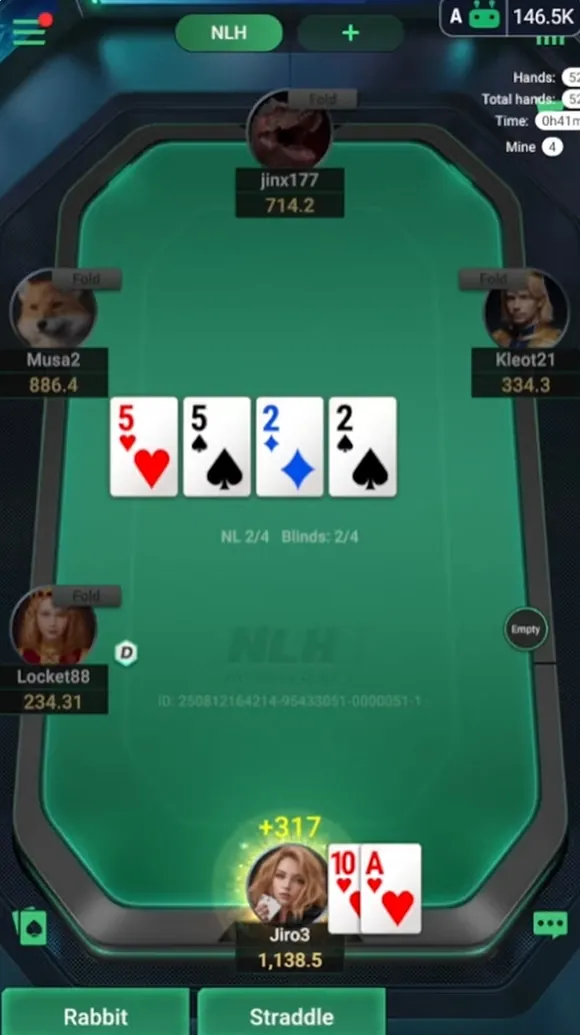
On a small sample, use the stat as a hint and the table as the tiebreaker: a new player with a VPIP of 60% over 30 hands is probably loose, but treat a river fold percentage over 30 hands as unknown. Four habits ruin HUD users at every level: making decisions without a large enough sample size, basing decisions completely on percentages while ignoring the board, getting overwhelmed by too much statistics on the panel, and using the HUD as an excuse to stop paying attention to the table. The assistant shows the hands counter next to the profile for exactly this reason, and the total-hands counter on the table tells you how much the current rating is worth.
What is different about HUD stats on PPPoker
PPPoker players move between clubs and unions, and a tracker only records the hands that crossed your own screen, so samples grow slowly and a player you met in another union starts from zero. Supported rooms and operating systems differ too: a tracker runs on Windows or Mac and needs a converter for each app, while the assistant supports one room, PPPoker, on Android and LDPlayer and tracks all game types the club runs. Club pools also differ a lot: the same VPIP means more in a tight union than in a club full of recreational players, so compare each player with the table rather than with a fixed number.
The room's format mix adds a second layer. PLO5, Short Deck and OFC tables need their own baselines; a Hold'em VPIP scale says nothing about a five-card Omaha player. The assistant keeps separate models for those games, which is one reason its profiles are built around 255+ parameters instead of the dozen a tracker HUD typically shows. If you would rather run a tracker, the download page describes the LDPlayer setup that a converter also relies on, and the comparison shows which other tools claim HUD integration.
HUD questions
Is there a HUD for PPPoker?
Not an official one. Players use hand converters with PokerTracker or Hold'em Manager, or an assistant with built-in stats such as the assistant.
Does PokerTracker work with PPPoker?
Not directly. It needs a third-party hand converter that records PPPoker hands in a format the tracker can import; DriveHUD sells its own catcher for the same purpose.
Which HUD stats should a beginner watch?
VPIP and PFR first, then fold to c-bet. These three explain most opponents at low stakes, become useful after about 30 hands, and are the numbers the assistant shows first on a profile.
What sample size do the stats need?
About 30 hands for VPIP and PFR, more for 3-bet numbers, and several hundred for river and showdown stats.
Is a HUD allowed on PPPoker?
Real-time stats tools count as third-party assistance under the PPPoker terms, whether they come from a tracker or from the assistant.
Does PPPoker AI Software show stats for PLO5 and OFC?
Yes. It keeps separate models for Omaha variants, Short Deck and OFC, with the same 255+ parameters per opponent.
Can I use PokerTracker and the assistant at the same time?
Technically yes, on LDPlayer, but there is little point: the assistant already reads its own stats at the table, and two tools reading the same screen only add load to the emulator.
See the stats The assistant collects
The quickest way to judge the profiles is to watch them fill in on your own club tables: install the assistant, enable PPPoker and ask support on Telegram for free trial fuel.